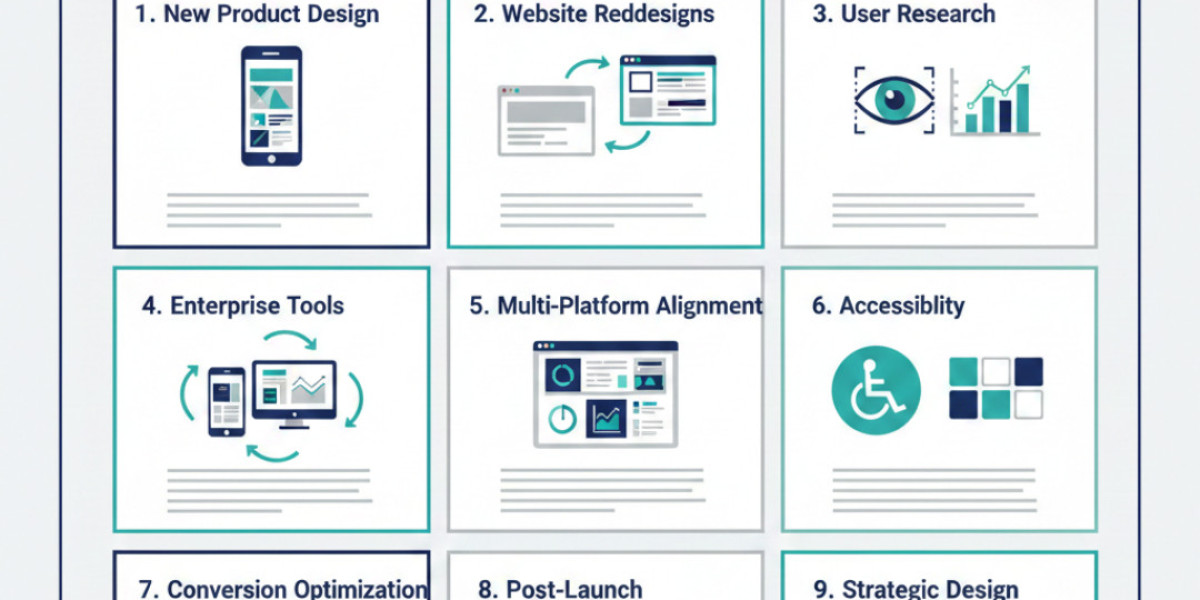

UX design projects focus on improving how users interact with digital products and systems. Their primary goal is to reduce friction, clarify decision making, and make experiences more intuitive and efficient. These projects extend beyond visual design and often involve research, strategy, and structuring of complex systems.
Understanding the types of projects UX teams handle helps organizations plan when to involve UX professionals and what outcomes to expect. Applying UX early can save time, reduce costly revisions, and improve user satisfaction in both the short and long term.
Product Design for New Digital Platforms
A common type of project involves designing new digital products from scratch. These can include mobile applications, SaaS platforms, dashboards, or customer portals.
UX teams in these projects focus on mapping user flows, ensuring tasks are easy to complete, and structuring information logically. Early involvement helps prevent design flaws that could become costly if left unaddressed.
Key activities in new product design include:
• Conducting user research to identify goals, pain points, and unmet needs
• Mapping workflows to define task sequences and decision points
• Establishing information hierarchy and interaction models for clarity
• Testing early prototypes to uncover usability issues and inefficiencies
These steps ensure the final product is practical, intuitive, and aligned with real user behavior, reducing support requests and improving adoption rates.
Redesigning Existing Websites and Applications
Some projects focus on improving existing products where users may already struggle. Analytics may show high abandonment, low engagement, or frequent errors, signaling UX problems.
Redesign efforts often start with identifying points of confusion or bottlenecks. UX teams use tools like usability testing, heatmaps, session recordings, and behavior tracking to pinpoint issues. The outcome is usually a refined experience rather than a complete visual overhaul.
At this stage, organizations often work with ux design companies to gain structured insights. These professionals bring objective assessment and experience to ensure redesigns solve real problems rather than cosmetic ones, which increases ROI and enhances user satisfaction.
User Research and Behavior Analysis Projects
Not all UX initiatives involve visible design changes. Some projects are purely research-driven, aimed at understanding users to inform product strategy or future updates.
Research projects can include:
• Interviews with customers or internal stakeholders
• Observation of task completion and workflow across different user types
• Testing early prototypes for usability insights and comprehension
• Mapping user frustrations and successes to identify opportunities
Later stages of these projects may also involve collaboration with ux design companies to validate findings or translate insights into actionable design recommendations. These steps ensure that product improvements are grounded in real user behavior and measurable results.
Enterprise and Internal Tool Design
UX is not limited to customer-facing products. Many projects involve internal systems used by employees, partners, or administrators.
Examples include:
• CRM and ERP software
• Reporting dashboards and analytics tools
• Workflow and project management platforms
• Inventory or operations systems
In these cases, UX success is measured by efficiency, error reduction, and employee satisfaction. Poor UX increases training time, slows operations, and creates frustration. Professional UX teams simplify complex processes, improve information clarity, and reduce mistakes, saving time and operational costs.
Multi-Platform Experience Alignment
Organizations operating across web, mobile, and tablet often experience inconsistent user experiences. UX projects in this category aim to unify these touchpoints to create a cohesive journey.
Work in this area includes:
• Mapping how users switch between devices and identifying friction points
• Aligning visual and functional elements across platforms
• Ensuring workflows are consistent to avoid confusion
Consistency across devices improves trust, reduces errors, and enhances the overall perception of reliability. Businesses benefit from a coherent experience that reinforces brand credibility.
Accessibility and Compliance Reviews
Accessibility projects ensure products can be used by people with diverse abilities. This includes navigation via keyboard, screen reader compatibility, color contrast, and layout clarity.
Audits are followed by targeted fixes. Accessibility work improves usability for everyone and reduces potential legal risks, while demonstrating social responsibility. These projects often reveal small adjustments that have a significant impact on inclusivity, such as simplifying form labels or enhancing contrast in visual elements.
Conversion and Task Completion Improvement
Some UX projects focus on improving specific outcomes, such as onboarding, checkout, or form completion. Teams identify where users hesitate, abandon tasks, or make errors.
• Streamlining processes to remove unnecessary steps
• Clarifying instructions to reduce mistakes
• Iterative testing to identify the most efficient flow
Optimizing these interactions improves efficiency, increases task completion rates, and provides measurable results for the business, especially in high-traffic or revenue-critical areas.
Post Launch Evaluation and Iteration
UX involvement does not stop at launch. Many projects analyze live products to identify long-term usability issues.
This can include:
• Testing updates with real users to validate changes
• Reviewing analytics for friction points, drop-offs, or errors
• Implementing incremental improvements based on real usage
These efforts allow businesses to continuously improve without a full redesign, maintaining usability and user satisfaction over time.
Strategic UX Support and Design Systems
Some organizations maintain ongoing collaboration with UX teams. This includes defining design principles, creating reusable components, and providing guidance for multiple product teams.
• Establishing consistent experience standards across products
• Developing shared design patterns for efficiency
• Supporting teams with UX advice and governance
Strategic support ensures usability consistency across multiple products, reduces duplicated effort, and maintains a high standard of design and user experience as organizations scale.
Conclusion
UX projects vary widely but share a single purpose: making digital systems easier and more effective for users. From research and internal tools to new product creation and post-launch evaluation, UX work addresses practical challenges that influence user satisfaction and business performance.
Understanding the different types of projects UX teams handle helps organizations apply resources strategically, ensuring investments solve real issues rather than just surface-level problems.
Frequently Asked Questions
Q.1 Do UX design companies only work on websites and apps
No. They also work on internal systems, software platforms, dashboards, and enterprise tools.
Q.2 When should a business involve UX professionals
Ideally before major design decisions are finalized, but UX input is valuable at any stage.
Q.3 Are all UX projects design focused
No. Many focus solely on research, testing, or evaluation to inform strategy.
Q.4 How long do UX projects usually last
It depends on scope. Research-only projects may take a few weeks, while system-wide projects can last several months.
Q.5 What determines the scope of a UX project
Factors include product complexity, user diversity, business goals, and existing pain points.