
Eight out of ten restaurant operators say technology gives them a competitive advantage, and 67 percent of consumers say they are comfortable ordering and paying on a tablet at their table, according to the National Restaurant Association's 2026 State of the Restaurant Industry report. Digital ordering has clearly moved from a nice extra to an everyday expectation. Still, a successful app does not appear by accident, since it depends on smart feature choices, a realistic budget, and a clear plan. This guide to restaurant ordering app development explains what to include, how the process works, and what drives the price.
Start With How Your Guests Actually Order
Before you think about screens or code, decide which ordering styles you want to support, such as pickup, delivery, or dine-in ordering through a table QR code. Your app is also one part of a wider online food ordering system, which may include a website, a point-of-sale (POS) system, and kitchen screens. Knowing how these pieces connect early on prevents expensive changes later.
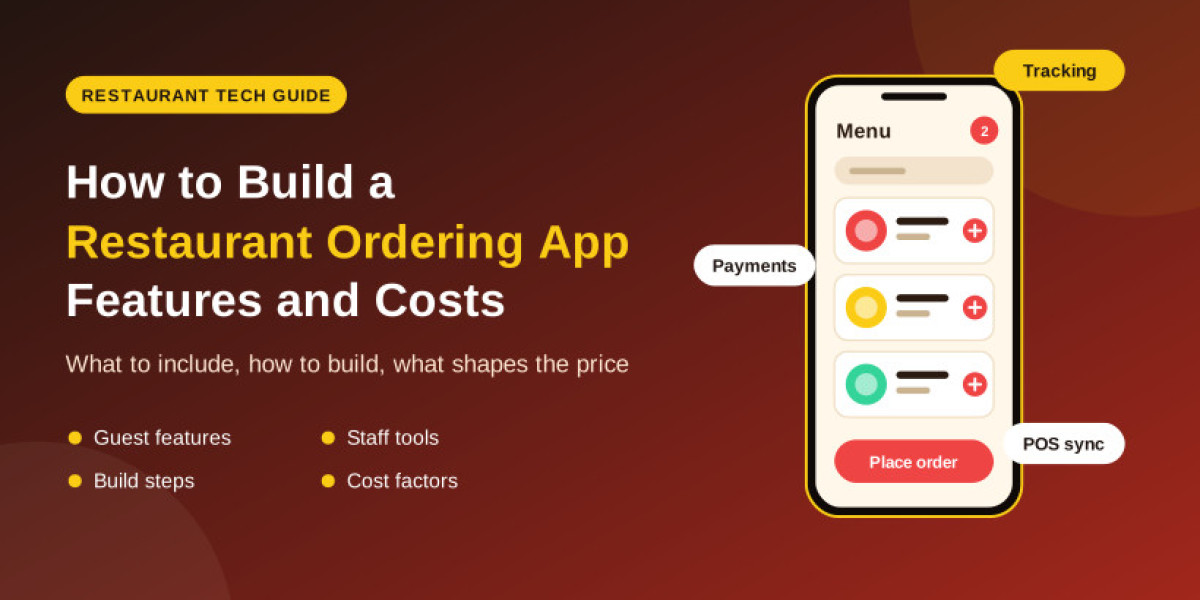
The Feature List: What Guests Need and What Staff Need
A strong app serves two groups, so plan features for both sides.
For your guests:
- Easy menu browsing with photos, search, and filters
- Customizable orders, such as extra toppings or special requests
- Secure payments with cards and digital wallets
- Live order tracking from kitchen to door or counter
- Saved favorites and one-tap reordering
- Offers, loyalty rewards, and push notifications
For your restaurant team:
- A simple dashboard to receive and manage orders
- Menu management, including prices and item availability
- Integration with your POS and kitchen display screens
- Reports on popular dishes, busy hours, and repeat customers
Six Steps From Idea to First Order
- Define your goals: Decide whether you want more takeout orders, higher average spending, or stronger customer loyalty.
- Plan a focused first version: Start with essential features, then add extras after real guests use the app.
- Design the experience: Keep the ordering flow short, because every extra tap increases the chance that a guest gives up.
- Build and connect: Develop the app and link it with payments, your POS, and delivery partners if needed.
- Test under real conditions: Check orders, payments, and peak-hour performance before launch.
- Launch and improve: Watch analytics and guest feedback, then update the app regularly.
What Shapes the Price Tag
The restaurant app development cost varies widely, because it depends on your choices more than on a fixed formula. This table shows what usually pushes the price down or up:
| Cost factor | Lower cost | Higher cost |
|---|---|---|
| Platforms | One cross-platform app | Separate native iOS and Android apps |
| Features | Core ordering and payments | Loyalty programs, AI recommendations, advanced analytics |
| Design | Template-based interface | Fully custom UI and branding |
| Integrations | Basic payment gateway | POS, kitchen display, and delivery partner connections |
| Maintenance | Basic hosting and fixes | Ongoing updates, support, and new features |
For an accurate number, ask for a written estimate that lists each feature and includes maintenance after launch.
Choosing the Right Build Partner
Not every team understands the pressure of a busy dinner rush. When you compare restaurant app development services, look for experience with ordering flows and payments, clear communication, and a plan for support after launch. Ask to see similar projects, and confirm who owns the code and the customer data before you sign anything.
Final Thoughts: Make Ordering Effortless
The best restaurant ordering app development projects focus on one goal, which is making it easy for guests to order and easy for staff to fulfill. Start with a lean first version, measure how guests use it, and grow the app step by step. That approach protects your budget and keeps the product close to what your customers really want.
Frequently Asked Questions
1. How long does it take to build a restaurant ordering app?
A basic version can take a few months, while a full-featured app with integrations takes longer. The timeline depends mostly on scope and complexity.
2. Should I build my own app or rely on third-party delivery platforms?
Your own app gives you more control over customer relationships and data, while third-party platforms offer extra visibility. Many restaurants use both.
3. What is the most important feature in the app?
A smooth ordering and payment flow matters most, because guests quickly abandon apps that are slow or confusing.
4. Can the app connect to my existing POS system?
Often yes, but it depends on whether your POS provides a suitable integration option, so check this early.
5. Do I need separate apps for iOS and Android?
Not always. Cross-platform tools can cover both with one codebase, although some projects still benefit from separate native apps.