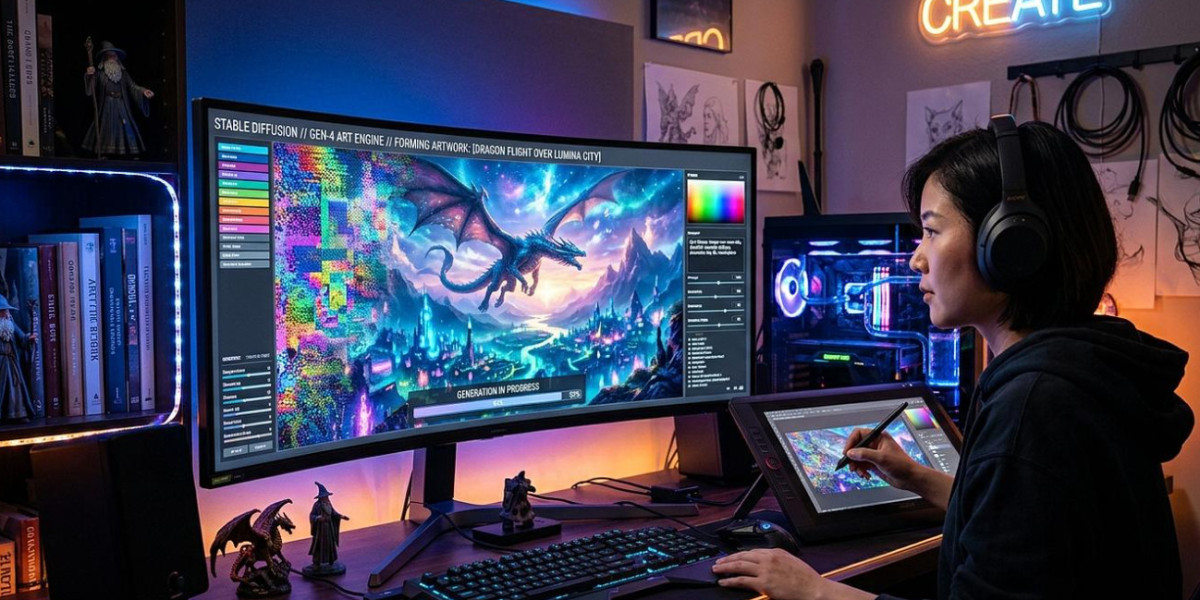

Creating realistic videos no longer requires expensive cameras, professional editing equipment, or a full production team. AI-powered video tools have made it possible to turn written prompts, images, and creative ideas into engaging visual content. From lifelike characters to natural facial expressions and synchronized speech, modern technology is changing how videos are produced. For beginners, the process may seem complicated at first, but the right tools and a clear creative approach can make video production much easier, faster, and more accessible.
This article covers how AI video creation works, which tools beginners can use, and how to produce realistic videos with better visual quality.
How AI Turns Simple Ideas Into Realistic Videos
AI video technology uses machine learning models to generate moving visuals from text descriptions, photographs, and other creative inputs. Instead of recording every scene manually, users can describe what should appear on screen and allow the software to generate the footage.
For example, a written prompt describing a person walking through a city street during sunset can become a short video with movement, lighting, and background details.
Similarly, image-to-video technology can transform a static photograph into an animated scene. Facial movements, camera angles, and environmental effects can make the final result feel more natural.
Most beginner-friendly tools offer three common ways to create videos:
Text-to-video: Converts written descriptions into short video clips.
Image-to-video: Adds movement and animation to existing photographs.
AI avatar videos: Creates digital presenters who can deliver scripted messages with synchronized speech.
Each method serves a different creative purpose. Consequently, choosing the right format before starting can save time and produce better results.
Start With a Clear Concept and Visual Direction
A realistic video begins with a well-defined idea. Before opening an AI tool, it helps to decide what the video should communicate, who will appear in it, and what kind of visual atmosphere is required.
A simple concept can produce impressive results when the instructions are specific.
For example, instead of writing a basic prompt such as "a woman standing in a room," a more descriptive version could mention the character's appearance, clothing, surroundings, lighting, facial expression, and camera movement.
A useful prompt should cover:
Character details: Age range, hairstyle, clothing, and general appearance.
Environment: Indoor setting, outdoor location, background objects, and atmosphere.
Lighting: Natural daylight, soft studio lighting, or evening illumination.
Movement: Walking, smiling, turning, speaking, or interacting with objects.
Camera direction: Close-up, wide-angle, slow zoom, or tracking shot.
In the same way, maintaining consistent character descriptions across different scenes helps create a more connected visual experience.
Choose the Right AI Video Tool for Your First Project
Not every video generator offers the same capabilities. Some focus on cinematic scenes, while others specialize in character animation, talking avatars, or personalized visual content.
Beginners should start with a tool that has a straightforward interface and clear generation settings. Sugarlab AI is one option for users interested in AI-generated character visuals and personalized creative experiences.
When comparing different tools, pay attention to these important features:
Video quality: Check whether the software produces clear visuals and natural movement.
Character consistency: Look for options that maintain a similar appearance across multiple scenes.
Motion control: Check how well the tool handles facial expressions, gestures, and body movements.
Customization: More control over prompts, backgrounds, and visual styles can improve creative results.
Export options: Check available resolutions, file formats, and video-length restrictions.
Additionally, beginners should test free trials or available sample generations before committing to a paid subscription.
Create Natural Characters and Convincing Facial Expressions
Characters play an important part in realistic video production. Even when the background looks impressive, unnatural facial expressions or awkward body movements can make the entire scene feel artificial.
Modern AI models can generate characters with different appearances, hairstyles, outfits, and expressions. However, the quality of the final result depends on the source image, prompt instructions, and capabilities of the selected tool.
For character-focused projects, Sugarlab AI can fit creative workflows involving personalized AI-generated characters.
Some users may also experiment with adult-themed fictional character concepts, including an AI girlfriend porn scenario. However, any realistic representation of an actual person should require their informed consent, and private images should never be used without permission.
To achieve more convincing results, consider these practical suggestions:
Avoid complicated movements in the first few generations.
Use clear reference images when character consistency matters.
Keep facial expressions appropriate to the scene.
Pay attention to eye movement, hand positioning, and body proportions.
Generate shorter clips before attempting longer sequences.
Admittedly, some AI-generated movements may still appear unnatural. Therefore, reviewing each generation and adjusting the prompt is an important part of the process.
Common Mistakes Beginners Should Avoid
Learning a new creative tool involves experimentation. However, certain mistakes can make video generation unnecessarily difficult.
One common problem is writing prompts that contain too many unrelated instructions. When a single prompt requests multiple actions, camera movements, and character interactions, the generated footage may become inconsistent.
Another issue is expecting perfect results from the first attempt. AI-generated videos often need several adjustments before the movement, lighting, and facial details look convincing.
Beginners should also avoid ignoring the final video's intended audience. A promotional video, entertainment clip, educational presentation, and character animation all require different visual approaches.
Similarly, responsible content creation matters. Use licensed assets, respect privacy, and obtain permission before generating identifiable representations of real people. Clearly labeling synthetic footage can also prevent viewers from confusing generated scenes with genuine recordings.
Improve Video Quality With Simple Editing Techniques
Generating the initial footage is only one part of the production process. Editing helps connect individual scenes and gives the final video a more polished appearance.
Even a basic editing application can make a noticeable difference. Beginners can trim unnecessary frames, adjust brightness, add background music, and include subtitles to improve the viewing experience.
Likewise, synchronized audio can make characters appear more believable, particularly when they speak directly to the camera.
A few useful editing practices include:
Remove awkward transitions between scenes.
Match background music with the mood of the video.
Add captions when dialogue is important.
Maintain consistent brightness and color tones.
Check that audio and lip movements remain synchronized.
Meanwhile, some creators experiment with specialized visual prompts, including fictional AI BBC porn videos concepts, when working with adult-oriented AI-generated material. Such projects should use fictional characters or properly authorized subjects rather than creating misleading depictions of real individuals.
Conclusion
AI video creation has made realistic visual storytelling more accessible to beginners. With a clear concept, descriptive prompts, suitable software, and basic editing skills, anyone can start producing engaging videos without a professional production setup. Although the first results may require adjustments, consistent experimentation helps improve visual quality and character movement.
Tools such as Sugarlab AI offer additional creative possibilities for personalized content. Most importantly, responsible use, attention to detail, and creative direction help turn simple AI-generated clips into polished and convincing videos.