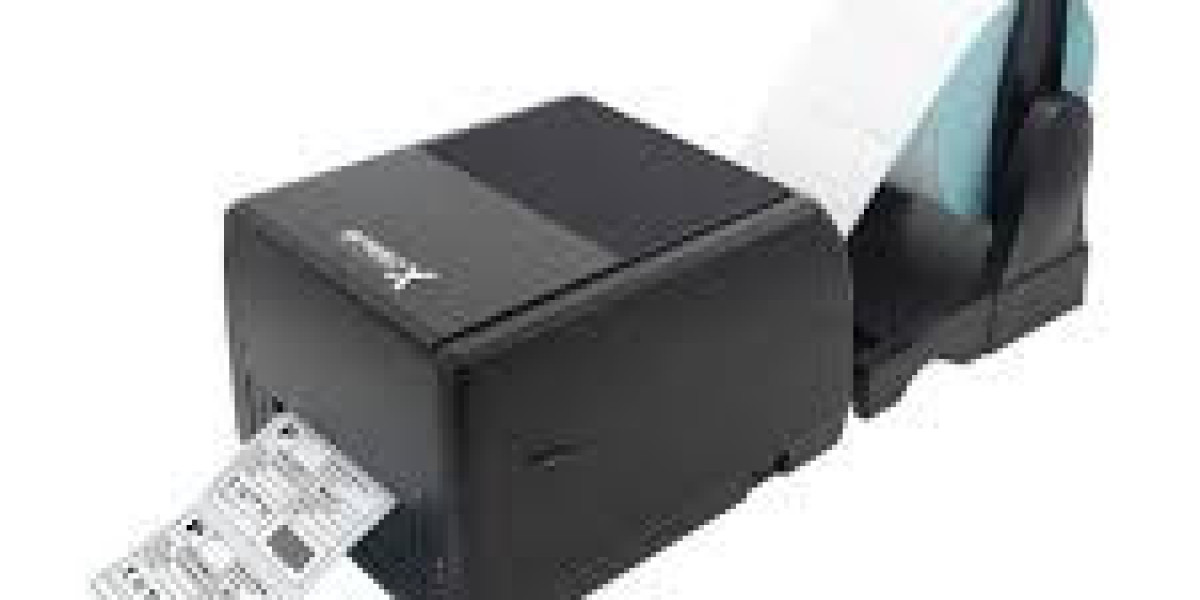

In 2027, businesses will continue to look for smarter ways to improve productivity, manage inventory, and reduce operational errors. One technology that plays an important role in these processes is the barcode printer. From retail stores and warehouses to healthcare facilities and manufacturing companies, barcode printing helps businesses identify products, track inventory, and organize daily operations more efficiently.
A barcode printer creates labels containing barcodes that can be scanned using barcode scanners or compatible mobile devices. These labels may include product codes, serial numbers, prices, manufacturing dates, shipping information, and other essential details.
As businesses adopt digital inventory systems and automated workflows, barcode printers are becoming increasingly valuable. Choosing the right printer can help organizations save time, improve accuracy, and maintain better control over their products.
In this guide, we will explore how barcode printers work, their benefits, different types, essential features, and the factors businesses should consider when choosing a suitable model in 2027.
What Is a Barcode Printer and How Does It Work?
A barcode printer is a specialized printing device designed to produce barcode labels, tags, and stickers. Unlike ordinary office printers, barcode printers are built to create clear, consistent, and scannable labels for business applications.
These printers work with barcode software or inventory management systems. Users enter product information, select a label format, and send the printing command to the device. The printer then produces labels containing the required barcode and accompanying text.
Most barcode printers support common barcode formats, including Code 128, Code 39, UPC, EAN, and QR codes, depending on the model and software.
Businesses can use these labels to identify products, track shipments, manage stock levels, and organize storage locations. When a barcode is scanned, the connected system retrieves the relevant information, reducing the need for manual data entry.
Why Will Barcode Printers Matter in 2027?
Businesses increasingly depend on accurate information and efficient operations. Barcode printers support these goals by connecting physical products with digital records.
For example, a warehouse can label incoming products immediately, while a retail store can print price tags and product identification labels. An e-commerce company can also generate shipping labels to help prepare orders for delivery.
The growing use of inventory software, cloud-based business systems, and automated logistics makes reliable labeling an important part of everyday operations.
In 2027, businesses should focus on barcode printing solutions that integrate with their existing systems, support their expected workload, and provide dependable print quality. Rather than selecting a printer based on price alone, organizations should evaluate how it fits their long-term operational needs.
What Are the Main Types of Barcode Printers?
Understanding the different printer types helps businesses choose equipment that matches their requirements.
1. Direct Thermal Barcode Printers
Direct thermal printers use specially coated heat-sensitive labels. The printhead applies heat to create text and barcodes without requiring an ink cartridge or thermal transfer ribbon.
These printers are suitable for short-term labeling applications, including shipping labels, delivery receipts, and temporary product labels.
Their main advantages include simple operation, fewer consumables, and relatively easy maintenance. However, direct thermal labels can fade when exposed to excessive heat, sunlight, or friction.
2. Thermal Transfer Barcode Printers
Thermal transfer printers use heat to transfer ink from a ribbon onto a label. This method generally produces durable, long-lasting prints suitable for applications where labels must remain readable for extended periods.
Common uses include asset identification, manufacturing labels, warehouse inventory, and product labeling.
Thermal transfer printers can work with different label materials, depending on the printer, ribbon, and adhesive combination. Although they require ribbons, they are often a strong choice for businesses that need durable labels.
3. Desktop Barcode Printers
Desktop barcode printers are compact devices designed for low-to-medium printing volumes. They are commonly used in retail stores, offices, small warehouses, pharmacies, and e-commerce businesses.
Their smaller size makes them suitable for workplaces with limited space. Many models support USB, Ethernet, or wireless connectivity, although available options vary.
4. Industrial Barcode Printers
Industrial barcode printers are designed for demanding environments and higher printing volumes. They are commonly found in large warehouses, distribution centers, factories, and logistics facilities.
These printers often feature robust construction, larger media capacity, and support for extended printing operations.
Businesses processing hundreds or thousands of labels daily may benefit from an industrial model, provided its specifications match their actual workload.
5. Mobile Barcode Printers
Mobile barcode printers allow employees to print labels while moving around a workplace. Many models support Bluetooth or Wi-Fi connectivity and operate using rechargeable batteries.
They are useful for retail inventory checks, field services, delivery operations, and warehouse stock management.
By printing labels near the point of use, mobile printers can reduce unnecessary trips to a fixed workstation.
What Benefits Can a Barcode Printer Offer Businesses?
A barcode printer can improve several areas of business operations.
Improved Inventory Accuracy
Barcode labels help businesses identify products consistently. Employees can scan items during receiving, picking, counting, and dispatching, reducing the errors associated with manual data entry.
Accurate scanning depends on proper labeling, suitable equipment, and a well-maintained inventory system.
Faster Daily Operations
Printing labels in batches or directly from business software can speed up product preparation and order fulfillment. Employees spend less time writing labels manually and can process more items efficiently.
Better Product Tracking
Businesses can assign unique identifiers to products, packages, assets, and storage locations. This makes it easier to track stock movement and investigate missing or misplaced items.
Reduced Labeling Errors
Manual labeling can lead to spelling mistakes, duplicated codes, and inconsistent formats. Barcode printing software helps standardize label designs and product information.
Professional Product Presentation
Clear labels improve readability and help businesses maintain consistent product identification across shelves, packages, and storage areas.
Support for Business Growth
As order volumes increase, a suitable barcode printing system can help businesses manage larger workloads without relying entirely on manual processes.
Which Features Should You Look for in a Barcode Printer in 2027?
Before purchasing a barcode printer, consider the following features.
Print resolution: A printer with suitable resolution helps produce readable barcodes, particularly when labels are small or contain detailed information. Common resolutions include 203, 300, and 600 dots per inch (DPI).
Printing speed: High-volume operations may require faster printing, while smaller businesses may prioritize affordability and ease of use.
Connectivity: USB, Ethernet, Wi-Fi, and Bluetooth options can help integrate the printer with computers, networks, tablets, and mobile devices.
Label compatibility: Check the supported label widths, media types, roll sizes, and ribbon specifications before purchasing.
Software integration: Confirm compatibility with your inventory software, point-of-sale system, shipping platform, or enterprise resource planning software.
Durability: Consider the working environment, including dust, temperature, moisture, and the possibility of frequent handling.
Operating costs: Compare label prices, ribbon consumption, maintenance requirements, replacement parts, and expected service life.
Barcode compatibility: Ensure the printer and associated software can generate the barcode formats required by your business.
How Can You Choose the Right Barcode Printer for Your Business?
The best barcode printer depends on your application, printing volume, and budget.
Small retailers may prefer desktop printers for price tags and inventory labels. E-commerce businesses may need reliable shipping-label printing and integration with order management software. Large warehouses may require industrial printers for continuous operation, while delivery teams may benefit from mobile printing.
Before making a decision, estimate how many labels you print daily, identify the required label dimensions, and determine whether labels need to withstand heat, moisture, chemicals, or outdoor exposure.
It is also important to check warranty coverage, technical support, replacement-part availability, and the cost of consumables.
For businesses operating in Pakistan, comparing local supplier support and the availability of compatible labels and ribbons can be especially useful. A slightly more expensive printer may offer better long-term value if it reduces downtime and maintenance expenses.
What Are the Common Applications of Barcode Printers?
Barcode printers support a wide range of industries and business activities.
- Retail: Product labels, shelf labels, price tags, and stock identification.
- Warehousing: Inventory labels, rack identification, picking labels, and shipment tracking.
- E-commerce: Shipping labels, order identification, and return processing.
- Healthcare: Laboratory labels, specimen identification, and patient wristbands where supported by the appropriate printer and supplies.
- Manufacturing: Work-in-progress tracking, serial number labels, and product identification.
- Logistics: Package tracking, dispatch labels, and delivery management.
- Education and offices: Asset tags, equipment identification, and document tracking.
Each application has different requirements, so businesses should select a printer and label material designed for the intended use.
How Can You Maintain a Barcode Printer for Better Performance?
Regular maintenance helps maintain print quality and reduce unexpected interruptions.
Clean the printhead and other accessible components according to the manufacturer's instructions. Use compatible labels and ribbons, and avoid materials that can damage the printhead.
Check label alignment, print darkness, and barcode readability periodically. If labels become faded, streaked, or difficult to scan, inspect the printhead, media settings, and consumables.
Keep printer firmware and compatible software updated when appropriate. For industrial environments, establish a maintenance schedule based on usage and the manufacturer's recommendations.
Conclusion
A barcode printer is more than a labeling device. It is an important tool for improving inventory accuracy, streamlining workflows, and connecting physical products with digital business systems.
In 2027, businesses can benefit from selecting barcode printing solutions that match their operational requirements, integrate with existing software, and deliver consistent print quality.
Whether you operate a small retail shop, an online store, a warehouse, or a manufacturing facility, the right printer can help reduce manual work and support more organized operations.
Before investing, compare printer types, print resolution, connectivity, label compatibility, maintenance needs, and total operating costs. With the right setup, barcode printing can become a reliable part of a more efficient and scalable business.
Frequently Asked Questions (FAQs)
1. What is a barcode printer used for?
A barcode printer creates labels for products, inventory, shipping, assets, and other items that need identification or tracking.
2. Which barcode printer is best for small businesses?
A desktop barcode printer is often a practical choice for small retailers, offices, and e-commerce businesses with low-to-medium printing volumes.
3. What is the difference between direct thermal and thermal transfer printing?
Direct thermal printing uses heat-sensitive labels, while thermal transfer printing uses a ribbon to create prints that are generally more durable.
4. Can a barcode printer print QR codes?
Yes. Many barcode printers can print QR codes when supported by their software and label-design settings.
5. How do I choose a barcode printer in 2027?
Compare printing volume, label size, resolution, connectivity, software compatibility, durability, consumable costs, and after-sales support