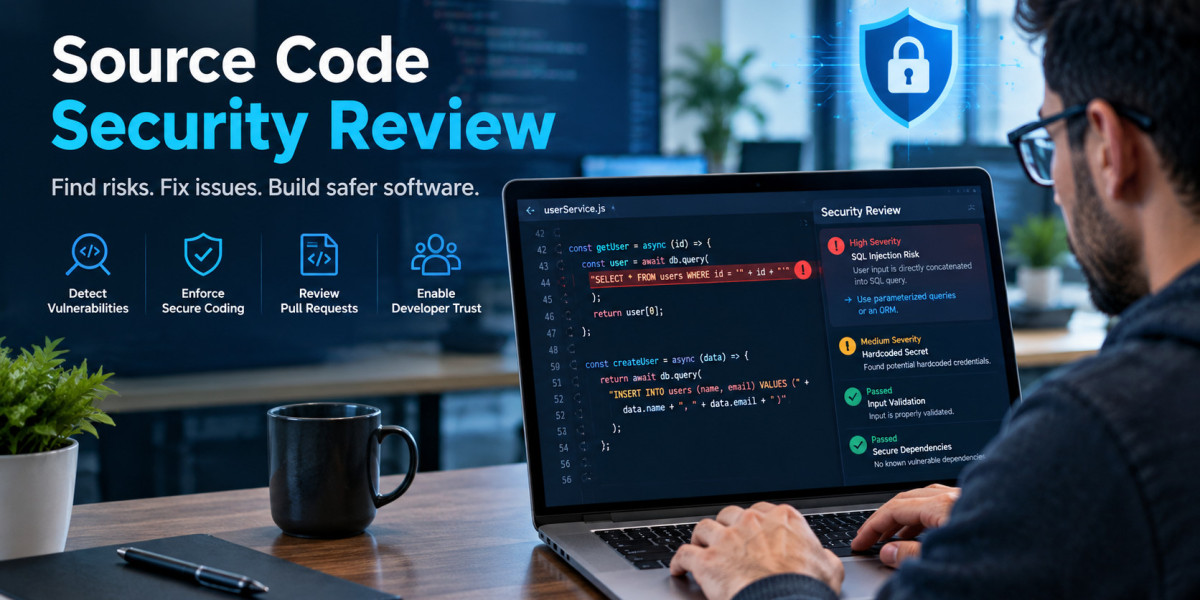

Buying or building a secure source code review capability means choosing among approaches that sound similar but behave very differently. Vendors promise complete coverage. Consultants promise depth. Developers promise they already review everything. The truth is that each option covers a slice of the risk and disappointment usually comes from expecting one slice to be the whole pie.
This article is an evaluation guide rather than a howto. It compares the main formats side by side, offers criteria for scoring them against your situation and outlines how to run a pilot before committing. If you want the underlying mechanics of how reviewers actually read code, start with our overview of the secure code review process and return here to plan your approach.
Start With the Question You Need Answered
Before comparing options, decide what "success" means. Different goals point to different choices:
Stop obvious flaws from shipping. You need continuous, low friction checks on every change.
Prove to an auditor or customer that we review code. You need documented, repeatable evidence.
Find the flaws our tools and habits miss. You need deep, skilled, human analysis.
Assess a codebase we just inherited or acquired. You need a fast, riskranked baseline.
Raise our team's baseline skill. You need training that connects to real code.
Write your primary goal at the top of a page. Every option below should be judged against it.
The Six Main Approaches
1. Peer Review With a Security Checklist
Developers review each other's changes using a short list of security prompts covering validation, authorization, secrets, error handling, and dependencies.
Strengths: nearzero tooling cost, immediate feedback, spreads knowledge, catches context dependent mistakes. Because it happens on every change, it is the only approach with truly continuous coverage.
Limitations: quality depends entirely on reviewer knowledge and attention. Untrained reviewers approve flaws they do not recognize, and review depth drops on large or rushed changes.
Best for: every team, as the foundation. It is rarely sufficient alone for high risk systems.
2. Static Application Security Testing (SAST)
Static application security testing tools analyze source code, bytecode, or binaries without executing them, matching code against rules and modeling data flow to flag issues such as injection, insecure cryptography, and hardcoded secrets. Most of what people call static code analysis or secure code analysis falls in this category.
Strengths: fast, consistent, scalable to every commit, and precise about location. Results can appear inside pull requests, which speeds up fixes.
Limitations: language and framework support varies; rule quality differs between products; false positives require triage; and business logic and design flaws are largely invisible. A tool that finds a stringbuilt query may say nothing about a missing ownership check on the same endpoint. That is why handson practice with vulnerability classes matters even for tool users; try our crosssite scripting lab to see how a real weakness behaves before judging what a scanner reports about it.
Best for: broad, continuous baseline detection in any codebase in a supported language.
3. Dynamic Testing and Vulnerability Scanning
Vulnerability scanning and dynamic application testing probe a running application (or its infrastructure and dependencies) from the outside, looking for exposed issues, misconfigurations, and known vulnerable components. Dependency scanners examine the libraries you ship and compare them against known vulnerability databases.
Strengths: confirms what is actually exploitable in a deployed configuration; finds environment and configuration problems that code review cannot see; dependency scanning catches inherited risk.
Limitations: it cannot point to the responsible line of code, depends on coverage of application paths it can reach, and struggles with authenticated and multistep workflows.
Best for: validating prerelease builds and catching configuration and dependency issues alongside code review.
4. Internal Expert Manual Review
A security engineer or trained champion reads the code with an attacker's mindset, focusing on authentication, authorization, business logic, cryptography, and complex data flows.
Strengths: finds the flaws tools cannot: broken workflows, inconsistent authorization, race conditions, and design weaknesses. Provides context aware fixes.
Limitations: slow, dependent on scarce talent, and impractical to apply to every change.
Best for: high risk features, critical applications, and periodic deep dives.
5. External Code Review Services
Independent specialists perform a scoped assessment of your code, often combining manual reading, tool output, and targeted testing, then deliver a report and remediation advice.
Strengths: independence, specialist expertise (particular languages, frameworks, or protocols), exposure to many codebases, and a credible artifact for stakeholders.
Limitations: cost, point in time results, onboarding effort, and variable quality between providers.
Best for: major releases, acquisitions, compliance-driven assessments, and gaps in internal skills.
6. Bug Bounty and Disclosure Programs
External researchers test your deployed application and report vulnerabilities for rewards or recognition.
Strengths: diverse attacker perspectives, pay for results economics, and coverage of real production behavior.
Limitations: postrelease timing, uneven attention across your surface area, triage overhead, and typically blackbox testing that does not read your source. It complements code review but is not a replacement.
Best for: mature organizations with a functioning remediation process and a stable public attack surface.
Evaluation Criteria: What to Score
When comparing specific tools or providers within a category, score each candidate against criteria that reflect your needs. Weight them before you look at any demo so enthusiasm does not choose for you.
Coverage fit. Does it support your languages, frameworks, build systems, and deployment models? A scanner with weak support for your primary framework will miss the flaws that matter most. If mobile applications are in scope, confirm support for platform specific concerns, which are explored in our guide to mobile app security testing.
Detection quality. Test against code with known flaws. Measure how many real issues are found and how many alerts are noise. Ask about custom rule support so you can encode organization specific patterns.
Actionability. Findings should show the data flow, explain the risk in plain language, and suggest a fix. Developers ignore reports they cannot act on.
Workflow integration. Look for pull request comments, IDE feedback, ticketing integration, and pipeline options that let you gate on severity.
Scalability and speed. Scan time affects developer patience. If analysis takes an hour per commit, it will be bypassed.
Triage and reporting. Deduplication, suppression with justification, trend dashboards, and exports for audits all reduce the ongoing cost of ownership.
Provider expertise (for services). Ask who actually reads your code, their experience with your stack, sample anonymized reports, and how they handle disputed findings.
Data handling and confidentiality. Where is code processed and stored? Who has access? What are retention terms? For a service, review contract terms on confidentiality and intellectual property.
Total cost of ownership. Include licensing, setup, tuning, triage labor, training, and the cost of remediation capacity. A cheap tool that requires a fulltime person to manage alerts is not cheap.
The ToolVersusHuman Question, Reframed
Debates about tools versus people tend to be unproductive because they assume a contest. A better question is: which class of security vulnerabilities do we most fear, and which method detects that class reliably?
Fear injection and unsafe function use in a large codebase? Automated analysis gives breadth.
Fear one user reading another's data? Human review of authorization logic is essential.
Fear a vulnerable library? Dependency scanning is the right tool.
Fear misconfiguration in production? Dynamic testing and infrastructure scanning fit.
Fear novel design weaknesses? Expert review and threat modeling apply.
For a fuller exploration of how the two families of methods complement each other, see our comparison of manual and automated code review.
Run a Pilot Before You Commit
Demos are staged; pilots are honest. A four week evaluation can save a year of regret.
Week 1: Define. Select two or three representative repositories, including at least one with known, seeded issues. Document your weighted criteria and success thresholds (for example, "finds at least 70 percent of seeded flaws with fewer than one false alert per ten true findings").
Week 2: Run. Execute each candidate tool or provider against the same repositories under the same conditions. Record setup time, scan time, and integration effort.
Week 3: Triage. Have developers, not just security staff, assess the findings for clarity and usefulness. Count true positives, false positives, and issues the candidate missed but a human found.
Week 4: Decide. Score against criteria, review total cost, and check references. Select the mix, define the rollout, and write down how you will measure results after adoption.
Include seeded flaws that match real weaknesses: a missing ownership check, a stringbuilt query, unsanitized output, a hardcoded secret. You can build realistic examples by studying the exercises in the web application hacking labs.
Mistakes Buyers Commonly Make
Buying coverage claims, not evidence. Detecting the OWASP Top 10 means little without testing on your code.
Ignoring remediation capacity. More findings without fixing time only grows the backlog.
Choosing one tool for everything. Each layer catches different problems, and none replaces knowing the baseline in the OWASP secure coding practices.
Skipping developer input. If developers dislike the workflow, adoption fails quietly.
Treating a single audit as ongoing assurance. A pointintime report ages as soon as new code ships.
Neglecting fundamentals. No product substitutes for solid web security best practices and developer understanding.
Underestimating skills. Tools raise the floor, but people raise the ceiling. Invest in training, including practical exercises from a library of security challenges.
Many of these mistakes stem from broader organizational friction, described in our discussion of application security challenges facing developers.
Building a Layered Plan
A sensible plan for most organizations looks like a stack:
Foundation: developer training, secure defaults, and peer review with a checklist on every change.
Automation layer: SAST, secrets detection, and dependency scanning in the pipeline, tuned to your stack.
Verification layer: dynamic testing and scanning of staging and productionlike environments.
Depth layer: internal expert reviews of high risk features on a schedule.
Independence layer: external assessments for major releases and compliance milestones.
Feedback loop: track where flaws were found, which method found them, and adjust the mix accordingly.
Each layer improves overall code security by covering weaknesses in the others, and each can start small.
Conclusion
Choosing a source code security review approach is a portfolio decision, not a product purchase. Peer review supplies continuous baseline attention. SAST and scanning provide speed and breadth. Expert reviews and external services supply depth and independence. Bug bounty programs add adversarial perspective after release. The right mix depends on your risk, code volume, skills, and evidence needs.
Define your goal, score options against weighted criteria, test candidates on your own code in a short pilot, and revisit the decision as your applications and team evolve. Pair whatever you choose with practical training so your people can interpret results and fix root causes. To build those skills in a handson environment, start with AppSecMaster.
Frequently Asked Questions (FAQs)
What is the difference between SAST and manual source code review?
SAST uses automated rules and dataflow models to scan code quickly and consistently for known flaw patterns. Manual review relies on a person reading code with an attacker's mindset to find logic errors, authorization gaps, and design weaknesses that tools cannot model. They cover different problems, so most mature programs use both.
Is vulnerability scanning the same as a code review?
No. Vulnerability scanning typically tests a running application or its infrastructure and dependencies from the outside, and it cannot show which line of code is responsible. A source code security review reads the code itself. Scanning is valuable for configuration and component issues, while code review finds root causes inside the application logic.
How often should we commission an external secure code review?
Schedule external assessments around meaningful risk events: major releases, significant architecture changes, new authentication or payment functionality, acquisitions, and compliance milestones. Many organizations also perform an annual assessment of their most critical systems. Between engagements, rely on continuous internal review and automated checks.
Can one tool cover all my code security needs?
No single tool detects every class of flaw. Static analysis is strong on known code patterns, dependency scanners on vulnerable libraries, and dynamic tools on runtime exposure, while none of them reliably judges business logic. Layering complementary tools with human review gives far better coverage than relying on any one product.
What should a pilot of a code review tool measure?
Measure detection of seeded and real flaws, false positive rate, setup and scan time, quality of remediation guidance, ease of integration with your pipeline, and developer satisfaction. Test on your own repositories rather than vendor samples, and calculate total cost of ownership, including triage time and remediation effort, before deciding.