
Relocating company hardware to a shared facility is a significant step for any organisation. It involves shifting physical systems, applications, and operational workflows into an environment that must handle reliability, safety, and long-term performance. While this shift can offer stability and cost advantages, the decision calls for careful examination of multiple elements before signing any agreement with colocation data center providers.
To support this decision, businesses should evaluate several fundamental areas. These checks help ensure that the move is not only smooth but also capable of supporting long-term operational needs.
Understanding the Facility’s Physical Infrastructure
The foundation of any shared IT space lies in its physical environment. Before committing, companies should request a clear picture of how the facility is built and maintained.
1. Structural design
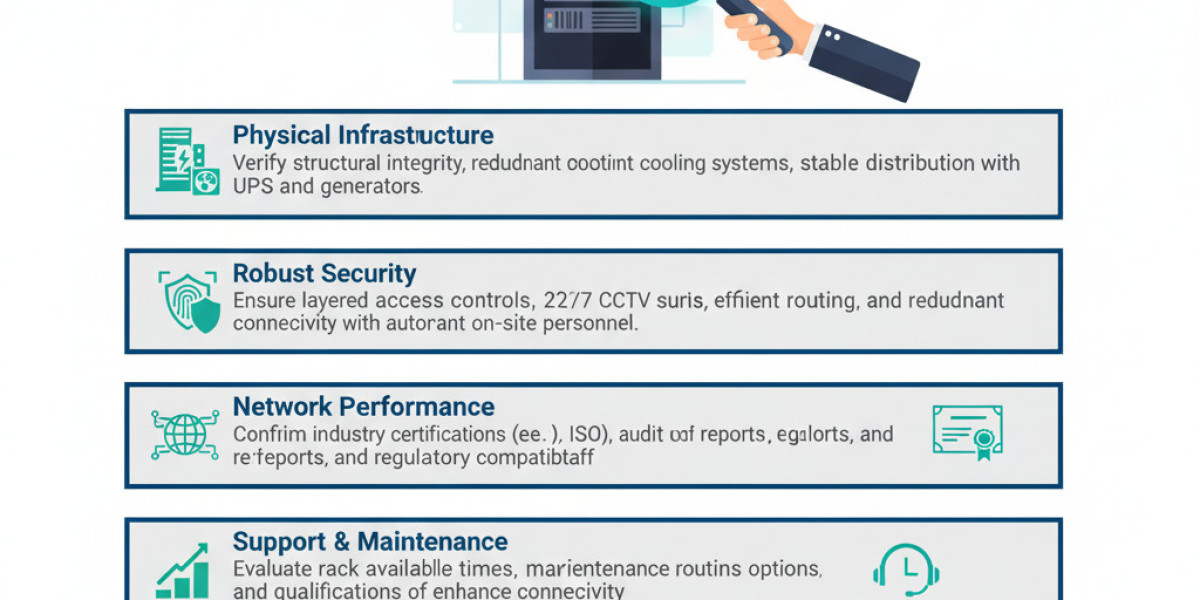
A shared IT facility must have strong structural integrity, with robust walls, fire-rated materials, controlled entry points, and protected server rooms. Ask about the age of the building, recent upgrades, and whether the structure meets current safety codes.
2. Cooling and airflow systems
Server hardware generates substantial heat. The facility must show evidence of efficient cooling configurations, such as hot and cold aisle containment, precision air control, and temperature monitoring. Consistent cooling helps prevent downtime caused by overheating.
3. Power distribution
Stable electricity is vital for any data-driven operation. A shared space should have redundant power feeds, backup generators, UPS systems, and regular maintenance schedules. Do not rely on verbal assurances. Request documentation, diagrams, or test logs.
Security Arrangements and Monitoring Protocols
Security is one of the most important aspects of shifting hardware outside an organisation’s direct premises. This includes both physical and digital protections, especially when evaluating colocation data center providers.
Entry controls
Facilities should have layered access mechanisms such as biometric scanners, key card systems, and visitor logs. It is ideal to confirm whether access is restricted only to authorised staff and whether escort policies exist for external technicians.Surveillance systems
Continuous camera coverage is essential. Ask how long footage is stored, which areas are monitored, and whether feeds are observed in real time. Redundant monitoring and incident escalation steps should also be in place.On-site personnel
Check if the facility has staff available around the clock. Technicians and security officers should be present at all times to manage alerts, perform inspections, and address emergencies. On-site staffing indicates operational maturity.
Evaluating Network Capabilities and Connectivity
A shared IT space must offer network performance that aligns with business workloads.
1. Carrier diversity
The presence of multiple internet carriers reduces the risk caused by a single provider outage. More carriers also allow competitive pricing and flexible bandwidth options.
2. Routing efficiency
Businesses should check the path that outbound and inbound traffic takes. Facilities with rich peering relationships can offer lower latency and improved speed.
3. Redundant connectivity
Look for dual network paths, automatic failover configurations, and proactive monitoring. This ensures that if one route fails, another picks up instantly without service disruption.
Compliance, Certifications, and Industry Standards
Every company must ensure that the chosen shared facility aligns with regulatory expectations relevant to its sector.
1. Certifications
Common certifications include ISO standards, quality management approvals, and security-related validations. These review both operational processes and safety controls.
2. Audit reports
Businesses should request audit assessments to evaluate whether the facility follows consistent operational routines. These documents reflect how issues are handled, how incidents are recorded, and how improvements are executed over time.
3. Regulatory compatibility
Some industries such as finance, healthcare, or government services require strict rules for data handling and retention. The shared facility must demonstrate that it meets these expectations.
Support Structure and Maintenance Policies
Moving hardware into a shared space does not remove the need for active management. Support quality remains a key factor.
1. Response time
Companies must understand the response windows for different issues. Ask whether emergency support is available and how long it typically takes to resolve urgent situations.
2. Maintenance routines
Planned maintenance should be communicated clearly, including timelines, impact windows, and escalation protocols. Unplanned disruptions should have systematic response plans.
3. Staff qualifications
Experienced technicians help reduce operational risks. Businesses should verify the training level of the facility staff and ask about ongoing upskilling.
Scalability and Future Flexibility
Hardware needs grow with time. The shared facility must be ready to support evolving requirements.
1. Rack availability
Check whether additional rack space can be allocated without long waiting periods. This avoids the need for a future relocation.
2. Power upgrades
Increasing power density is common as businesses adopt advanced hardware. The facility must be capable of supporting higher loads.
3. Connectivity enhancements
The ability to add new carriers, extra bandwidth, or private interconnection options ensures long-term flexibility.
Contract Terms, Cost Transparency, and Hidden Conditions
A shared IT facility agreement should reflect clarity and predictability. Before signing, businesses must scrutinise the contract thoroughly.
1. Pricing transparency
Every cost should be stated in writing, including installation charges, cross-connect fees, remote support fees, and overage charges.
2. Contract duration
Companies should evaluate whether the contract length aligns with their operational plans. Early termination or upgrade limitations should be reviewed carefully.
3. Liability and insurance
Ask about the insurance coverage provided by the facility and what the business must cover independently. The contract should clearly define responsibilities during incidents.
Migration Planning and Execution Readiness
Once all checks are complete, the next stage is preparing for a smooth migration.
1. Equipment checklist
Businesses must have a complete list of the hardware that will move, including model numbers, power ratings, and network needs.
2. Cabling plan
A structured cabling plan helps prevent disconnections, downtime, or confusion during the handover process.
3. Coordination with facility teams
A smooth migration requires coordination with technicians from the shared facility. Confirm availability, access windows, and on-site guidance.
Performing all these checks ensures that the business selects a facility that meets long-term expectations. Careful evaluation also protects operational continuity and prevents avoidable risks when working with colocation data center providers for mission-critical hardware placement.
Conclusion
Choosing the right shared IT space involves much more than comparing room sizes or basic features. It requires a clear understanding of the facility’s structural strength, network capacity, safety controls, and support quality. Businesses must verify certifications, inspect security systems, and study contract terms before signing any agreement. A thorough evaluation ensures that hardware hosted outside company premises can still operate securely, consistently, and efficiently for years to come. Careful groundwork today creates a stable environment for the technologies that support daily operations.
FAQs
1. What is the purpose of placing hardware in a shared IT facility?
It allows organisations to house critical systems in an environment designed for stability, reliable power, and strong security controls.
2. How important is power redundancy?
It is essential because it protects hardware from outages. Multiple power sources and backup systems ensure continuous system performance.
3. Should businesses visit the facility before signing?
Yes. A site visit offers direct insight into the infrastructure, layout, safety measures, and overall operational environment.
4. What documents should companies request?
Audit reports, certification records, maintenance logs, and network diagrams help assess the facility’s reliability.
5. Can businesses scale up resources in the future?
Most shared spaces allow expansion, but it is important to confirm available capacity and upgrade pathways before signing.