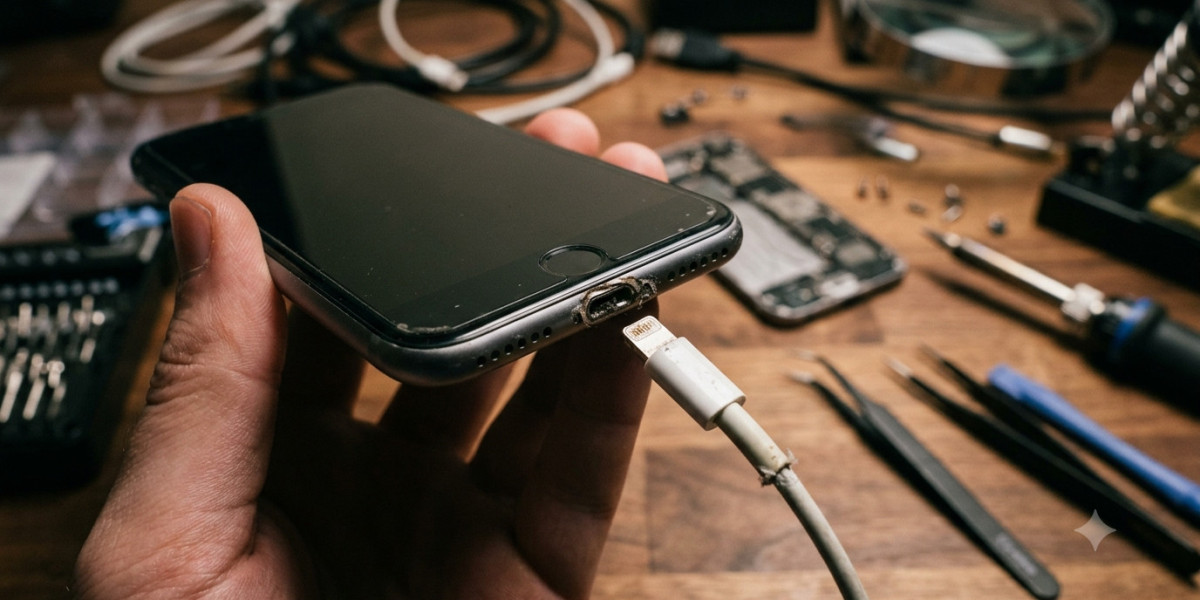

Your iPhone's charging port is one of its most frequently used components. Every time you charge your device or connect it to accessories, the charging port plays a vital role in keeping your iPhone powered and functioning properly. Over time, normal wear and tear, dust buildup, moisture, or accidental damage can cause the charging port to stop working as it should. Ignoring the warning signs may leave you with a phone that charges slowly or not at all.
If you're searching for dependable iPhone repair Brooklyn NY, Avenue D Cellular offers professional charging port repairs, battery replacements, and iPhone screen repair Brooklyn services. Our experienced technicians diagnose charging issues accurately and provide reliable repair solutions using high-quality replacement parts. In this guide, we'll discuss the most common signs that your iPhone charging port needs repair or replacement and explain why timely service can help prevent more serious problems.
Why Your iPhone Charging Port Is Important
The charging port does much more than recharge your battery. It also allows your iPhone to communicate with computers, transfer data, connect to compatible accessories, and receive software updates when connected by cable.
Because it is used almost every day, the charging port naturally experiences wear over time. Dirt, pocket lint, moisture, and repeated cable insertions can all affect its performance.
Identifying problems early can help you avoid unexpected charging failures and expensive repairs.
Common Causes of Charging Port Problems
Charging port issues can develop for several reasons, including:
- Dust and lint accumulation
- Moisture exposure
- Frequent plugging and unplugging
- Using damaged charging cables
- Physical impact from accidental drops
- Corrosion caused by liquid damage
Understanding these causes can help you prevent future charging problems and extend the life of your iPhone.
1. Your iPhone Charges Slowly
One of the earliest signs of a faulty charging port is unusually slow charging.
If your iPhone previously charged quickly but now takes much longer, the charging port may not be delivering power efficiently.
However, slow charging can also result from:
- Worn charging cables
- Faulty power adapters
- Battery health issues
A professional inspection can determine whether the charging port is the source of the problem.
2. Charging Only Works at Certain Angles
Does your iPhone only charge when you hold the cable in a specific position?
This is often a clear indication that the charging port has become loose or damaged.
You may notice:
- Charging starts and stops repeatedly.
- Slight movement disconnects the charger.
- The cable doesn't fit securely.
Ignoring this issue may eventually result in complete charging failure.
3. Your iPhone Won't Charge at All
If you've already tested multiple charging cables and adapters but your iPhone still won't charge, the charging port may require repair or replacement.
Complete charging failure can result from:
- Broken internal connectors
- Bent charging pins
- Severe debris buildup
- Corrosion inside the port
Professional technicians can diagnose the exact cause before recommending repairs.
4. Your Computer Doesn't Recognize Your iPhone
A damaged charging port doesn't only affect charging—it can also interrupt data transfer.
If your computer no longer detects your iPhone through a USB connection, the charging port may not be transmitting data correctly.
This problem often appears alongside charging issues and should be inspected promptly.
5. The Charging Cable Feels Loose
A properly functioning charging cable should fit securely into the port.
If the connector feels loose or falls out easily, the charging port may have worn down over time.
This can cause:
- Intermittent charging
- Connection failures
- Increased wear on charging accessories
Professional repair can restore a secure connection.
6. Debris Is Visible Inside the Port
Pocket lint, dust, and small debris frequently collect inside iPhone charging ports.
Over time, this buildup prevents the charging cable from making proper contact.
Visible debris may cause:
- Slow charging
- Charging interruptions
- Loose cable connections
Although gentle cleaning may solve minor issues, avoid inserting sharp objects into the port, as they can damage delicate internal connectors.
7. The Charging Port Shows Signs of Corrosion
If your iPhone has been exposed to water or excessive moisture, corrosion may develop inside the charging port.
Signs include:
- Green or white residue
- Rust-colored discoloration
- Persistent charging problems after water exposure
Corrosion often requires professional cleaning or component replacement.
8. Your iPhone Gets Hot While Charging
Some warmth during charging is normal, but excessive heat may indicate poor electrical contact within the charging port.
If your phone becomes unusually hot whenever it's plugged in, stop using the charger and have the device inspected by a professional technician.
Continuing to charge with a damaged port may increase the risk of further hardware damage.
Can You Fix a Charging Port Yourself?
Many online tutorials demonstrate DIY charging port repairs, but modern iPhones contain delicate internal components that require specialized tools and experience.
Attempting repairs without proper knowledge may result in:
- Damaged connectors
- Broken cables
- Display damage
- Battery damage
- More expensive repairs
For most users, professional repair is the safest and most reliable solution.
When Should You Replace the Charging Port?
Replacement is often recommended when:
- Cleaning does not resolve charging issues.
- The charging port has physical damage.
- Internal connectors are broken.
- Corrosion has affected electrical connections.
- Charging repeatedly disconnects.
Replacing a damaged charging port restores reliable charging and helps prevent additional hardware problems.
Why Choose Professional Repair Services?
Professional repair offers several important benefits.
Accurate Diagnosis
Charging issues are sometimes caused by the battery, charging cable, or software—not the charging port itself.
Experienced technicians can quickly identify the actual cause.
Quality Replacement Parts
Professional repair shops use dependable replacement components designed for long-lasting performance.
Safe Installation
Replacing an iPhone charging port requires precision and specialized equipment.
Professional installation reduces the risk of accidental damage.
Complete Device Testing
After repair, technicians verify charging performance, data transfer, speaker function, and overall device operation.
Why Choose Avenue D Cellular?
If you're looking for trusted iPhone repair Brooklyn NY, Avenue D Cellular provides dependable charging port repairs and comprehensive iPhone repair services.
Our experienced technicians specialize in:
- Charging port repair
- Battery replacement
- iPhone screen repair Brooklyn
- Camera repair
- Speaker repair
- Diagnostic services
We use high-quality replacement parts and modern repair techniques to ensure every repair meets our quality standards. Our goal is to provide fast turnaround times, honest recommendations, and outstanding customer service.
Tips to Protect Your Charging Port
You can extend the life of your charging port by following a few simple habits:
- Keep the charging port clean.
- Use certified charging cables.
- Avoid forcing the connector into the port.
- Keep your phone away from moisture.
- Disconnect the cable carefully instead of pulling forcefully.
- Replace damaged charging cables promptly.
These simple practices help reduce wear and keep your charging port functioning properly.
Final Thoughts
A faulty charging port can quickly become a major inconvenience, making it difficult or impossible to keep your iPhone powered throughout the day. Warning signs such as slow charging, loose cable connections, intermittent charging, data transfer problems, and overheating should never be ignored. Addressing these issues early can help prevent more extensive and expensive repairs.
If you're searching for reliable iPhone repair Brooklyn NY, Avenue D Cellular is your trusted destination for professional charging port repairs, battery replacements, and iPhone screen repair Brooklyn services. Our skilled technicians are committed to providing fast, dependable repairs using quality replacement parts, helping you get your iPhone back to peak performance as quickly as possible.